If you’ve ever searched “how to make money on YouTube” but still haven’t found a clear answer, here’s the good news: Yes, you can. And in 2026, YouTube monetization is more accessible, diverse, and beginner-friendly than ever before.
Gone are the days when you needed a million subscribers or viral content to make money on YouTube. Today’s YouTube economy rewards creators who are consistent, smart, and intentional—not just flashy or famous. Whether you have 100 subscribers or 10,000, whether you show your face or never appear on screen, there’s room for you to earn real income doing what you love.

But let’s be honest: making money on YouTube isn’t as simple as uploading a video and waiting for the cash to roll in. It takes strategy, patience, and a bit of behind-the-scenes know-how. That’s what this guide is here for.
This isn’t some hype-filled promise about making $10,000 overnight. It’s a practical roadmap, based on up-to-date 2026 features, real YouTube monetization options, and proven strategies designed especially for beginner to intermediate creators.
One of the fastest-growing income streams right now is YouTube Shorts monetization. If you want to see how creators are earning with short-form content, check out our step-by-step Shorts monetization guide.
By the time you finish reading, you’ll know:
- The exact ways people make money on YouTube in 2026 (ads, affiliate links, sponsors, and more)
- How to qualify for each income stream and what you need to get started
- Which YouTube monetization features unlock which earning tools
- Tips for choosing a profitable niche that fits your style
- What to avoid so you stay compliant with YouTube’s policies
Think of this guide as your mentor for how to make money on YouTube. Let’s start with the basics and then build your money-making machine, step by step.
Understanding YouTube Monetization in 2026: What’s New, What’s Working
Before we dive into income streams, it’s important to understand how YouTube monetization works in 2026.
The Core Monetization Framework: YouTube Partner Program (YPP)
Most creators think of ad revenue when they hear “how to make money on YouTube.” And while ads are still significant, they’re only part of the story.
To get paid directly from YouTube, you need to join the YouTube Partner Program (YPP). As of 2026, here’s what you need to qualify:
- 500 subscribers
- 3 valid public uploads in the last 90 days
- Either:
- 3,000 watch hours (past 12 months)
- or 3 million Shorts views (past 90 days)
Once approved, you unlock multiple YouTube monetization tools:
- Ad revenue (pre-roll, mid-roll ads)
- Super Chats (live stream tips)
- Channel Memberships (fan subscriptions)
- YouTube Shopping (sell merch/products)
For small creators, the barrier to making money on YouTube is lower than ever.
| Criteria / Monetization Feature | Tier 1 (Entry Level) | Tier 2 (Full Monetization) |
| Subscribers | 500+ | 1,000+ |
| Valid Public Uploads | At least 5 uploads in the last 6 months (some sources suggest 10 uploads) | 3,000 valid public watch hours in the last 12 months |
| Watch Time (long-form videos) | 4,000 valid public watch hours in the last 12 months | 1.5 million to 3 million valid Shorts views in the last 90 days (varies by tier) |
| Shorts Views (valid public) | 3 million valid Shorts views in the last 90 days | – No active Community Guidelines strikes- Two-step verification enabled- AdSense account linked- Live in an eligible country/region |
| Channel Age | At least 3 months | At least 6 months |
| Other Requirements | – No active Community Guidelines strikes- Two-step verification enabled- AdSense account linked- Live in eligible country/region | Same as Tier 1 with ongoing compliance checks |
| Monetization Tools Available | Description |
| YouTube AdSense Ads | Pre-roll, mid-roll, overlay ads on videos (full ads revenue mainly Tier 2) |
| Super Chats & Super Stickers | Paid live chat features during streams |
| Channel Memberships | Recurring monthly subscriptions for exclusive perks |
| YouTube Shopping / Merch Shelf | Sell physical products or affiliate products linked under videos |
| YouTube Premium Revenue | Share revenue from YouTube Premium subscribers watching content |
| YouTube Shorts Monetization | Revenue share from ads between Shorts (earnings depend on tier) |
To unlock ad revenue, you need to hit YouTube’s Partner Program requirements: 1,000 subscribers and 4,000 watch hours. If you want a step-by-step path to get there as quickly as possible, read our Fastest Way to Monetize YouTube: 1,000 Subs + 4,000 Hours Explained guide.
If you’re below the threshold, don’t worry. We’ll also explore ways to make money on YouTube without being in YPP — including affiliate marketing, sponsorships, and digital products.

How to Make Money on YouTube Without Ads (Even as a Beginner)
If you’re not yet in the YPP, here are 3 ways to start earning:
- Affiliate Marketing
- Promote products (e.g., Amazon, Canva, VidIQ) with your unique links.
- Earn commissions (4–50%) on sales—no subscriber minimum.
- Sponsorships
- Brands pay $100–$1,000 per video for mentions (even with 1K subs).
- Digital Products
- Sell eBooks, templates, or courses directly to your audience.
These methods let you make money on YouTube before hitting YPP thresholds.
YouTube Monetization: Lower Entry Barriers & More Revenue Variety
2026 has been a turning point for small creators. YouTube has made monetization more inclusive with its “500-subscriber” YPP entry, and has expanded monetization across:
- Shorts, with their own dedicated ad revenue model
- Livestreaming, which continues to grow through Super Chats and tipping culture
- Integrated Shopping, including affiliate product links and merch tags inside videos
This means if you’re starting now, you don’t have to wait until you’re “big” to earn.
How YouTube Actually Pays Creators
Let’s clarify something that confuses many beginners: YouTube itself doesn’t pay per subscriber. It pays per view (and even then, not all views).
Here’s a simplified breakdown of how YouTube pays through ads:
- Advertisers pay YouTube to run ads on videos
- YouTube shares 55% of that revenue with creators
- Your income depends on:
- CPM (Cost Per Mille): How much advertisers pay per 1,000 views
- RPM (Revenue Per Mille): What you actually earn per 1,000 views after YouTube’s cut
- CPM (Cost Per Mille): How much advertisers pay per 1,000 views
In the U.S., RPM varies by niche. Here’s what’s common in 2026:
| Niche | Your RPM Range ($) | Reported U.S. RPM Estimates ($) |
| Gaming | $1.50–$4 | About $1.40 to $2.98 (Gaming & Entertainment niches reported between $1.40 and $3.11) |
| Beauty | $3–$7 | Tech/Gadgets reported CPMs near $4 to $5 range; RPMs around $4-$10 are typical |
| Finance & Investing | $8–$25 | Personal finance & investments RPM commonly around $8 to $12; some sub-niches up to $22 |
| Tech Reviews | $5–$12 | Tech/Gadgets reported CPMs near $4 to $5 range; RPMs around $4-$10 typical |
| Lifestyle & Vlogs | $1.50–$5 | Lifestyle CPM averaged around $3.5-$4; RPMs roughly $2-$5 |
| Education / Tutorials | $4–$10 | Education CPM roughly $5-$9; reported RPM near $9-$10 |
So, yes — you could make a living on YouTube with a “small” audience if your content is high-earning and monetized smartly.
Monetization Method #1: YouTube AdSense (Still Worth It?)
If you’re wondering whether YouTube AdSense is still a viable way to make money in 2026, the answer is yes, but with context.
AdSense is the default revenue stream that activates once you join the YouTube Partner Program. It’s what powers those skippable pre-roll ads, the occasional mid-rolls, and banner ads on your videos. YouTube handles everything — placing the ads, charging advertisers, and cutting you a check for your portion.
But is it your golden ticket? Not quite.
How AdSense Actually Works in 2026
When you upload a video and turn on monetization, YouTube uses its algorithm to decide which ads to place based on your content and viewer behavior. If a viewer watches a skippable ad for 30 seconds (or to the end), or interacts with a display ad, you earn a small slice of ad revenue.
Your earnings depend heavily on CPM (Cost Per Mille) and RPM (Revenue Per Mille). The numbers vary dramatically based on your niche, viewer location, and engagement.
In 2026, U.S.-based creators can expect average RPMs between $1 and $20, depending on their niche. Here’s a rough estimate again to keep in mind:
| Niche | Your RPM Range ($) | Typical 2026 U.S. RPM Estimates ($) |
| Entertainment vloggers | $1.50–$5 | $0.50 to $10 (often around $1.50–$5) for entertainment content |
| Personal finance | $10–$25 | $8 to $18 or up to $25 in some sub-niches, personal finance commonly $8–12 RPM |
| Product reviews | $5–$12 | Tech reviews and product-related content RPMs generally $4–$12 |
| Tutorials (tech, design, software) | $4–$10 | Educational and tutorial content RPMs around $4 to $10 (education niche approx. $9.89) |
| Gaming | $1.50–$4 | Gaming around $1.40–$3 with broad range up to $4 RPM in practice |
It’s not passive at first, but it stacks up when combined with other income streams.
Pros of AdSense in 2026
- Set-it-and-forget-it: Once enabled, it’s automatic.
- Backed by Google: Payments are regular, reliable, and trackable in YouTube Studio.
- Scales with your channel: As views grow, income grows. No need to change your system.
- Stackable: Works alongside affiliate links, sponsors, and merch.
Cons to Watch Out For
- Ad-blockers: These reduce your earning potential.
- CPM volatility: Revenue can dip based on seasons (like post-holiday drop-offs).
- Not beginner-friendly alone: You’ll need consistent views to make significant money.
In short, AdSense is worth enabling, but not worth relying on. Think of it like your base salary. If you’re serious about making a living, you’ll want to layer in other monetization methods — starting with one of the most powerful: affiliate marketing.
Monetization Method #2: Affiliate Marketing on YouTube
If you’re a beginner with less than 1,000 subscribers, affiliate marketing is your best friend. It’s one of the fastest ways to earn real money — even without qualifying for the YouTube Partner Program.
How It Works
Affiliate marketing means promoting a product or service in your video, description, or pinned comment using a special link. When someone clicks that link and makes a purchase, you earn a commission — often between 4% and 50%, depending on the program.
You don’t need to create your own product. You just recommend things you already use or believe in.
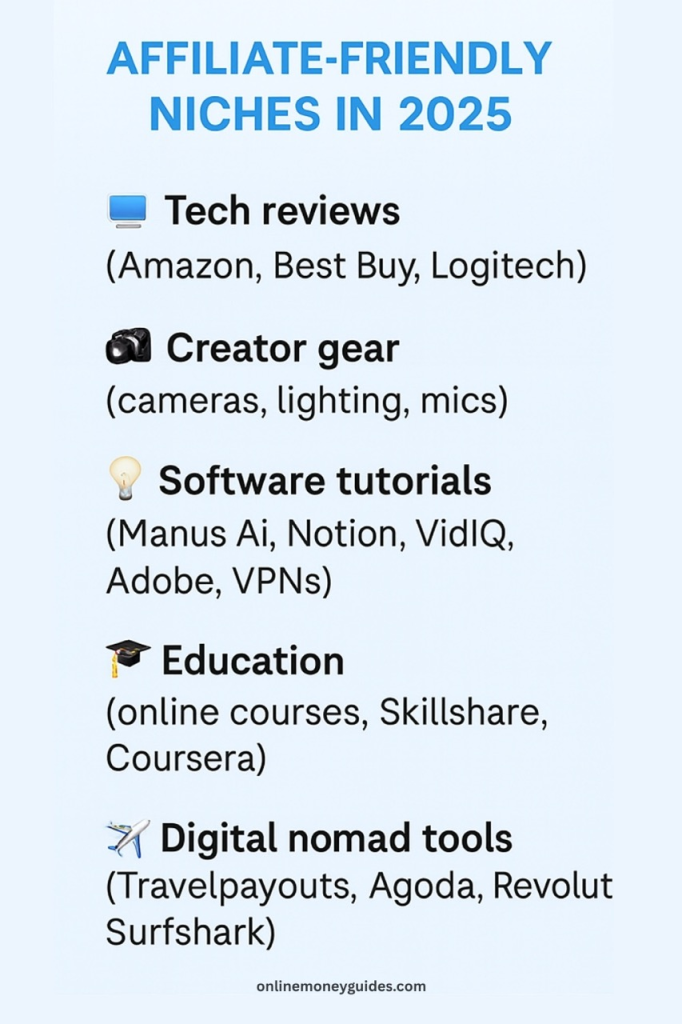
In 2026, affiliate-friendly niches include:
- Tech reviews (Amazon, Best Buy, Logitech)
- Creator gear (cameras, lighting, mics)
- Software tutorials (Manus Ai, Notion, VidIQ, Adobe, VPNs)
- Education (online courses, Skillshare, Coursera)
- Digital nomad tools (Travelpayouts, Agoda, Revolut, Surfshark)
Top Affiliate Programs for YouTubers
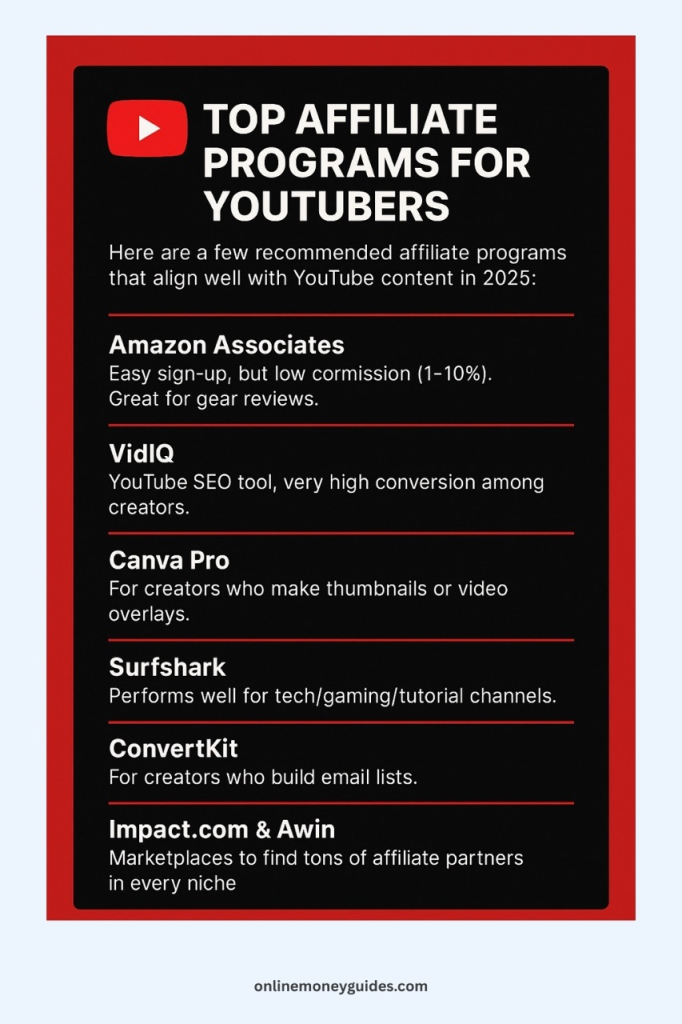
Here are a few recommended affiliate programs that align well with YouTube content in 2026 (you can use these in your videos and descriptions):
- Amazon Associates – Easy sign-up, but low commission (1–10%). Great for gear reviews.
- VidIQ – YouTube SEO tool, very high conversion among creators. Join here
- Canva Pro – For creators who make thumbnails or video overlays. Apply here
- Surfshark– Performs well for tech/gaming/tutorial channels. Join here
- ConvertKit – For creators who build email lists.
- Impact.com & Awin – Marketplaces to find tons of affiliate partners in every niche.
Tips for Making Affiliate Income Work
- Focus on tutorials, reviews, and “best of” lists — viewers are already in buying mode
- Always include the affiliate link in the description, pinned comment, and onscreen overlays
- Use tracking links (via Bit.ly or your affiliate dashboard) to measure what works
- Disclose your affiliate relationship to stay compliant with YouTube and the FTC
Pros of Affiliate Marketing
- No minimum subscriber count
- High-earning potential even with low views
- No extra work: Just link to things you’re already talking about
- Works with any niche
Cons
- Trust is key: Recommending low-quality stuff can hurt your credibility
- Learning curve: You’ll need to experiment with wording, positioning, and timing
When done right, affiliate income can actually surpass AdSense. And it scales faster. Best of all? You can get started today — even if you’re not in the Partner Program.
Monetization Method #3: YouTube Shorts Monetization (Fast-Growth Path in 2026)
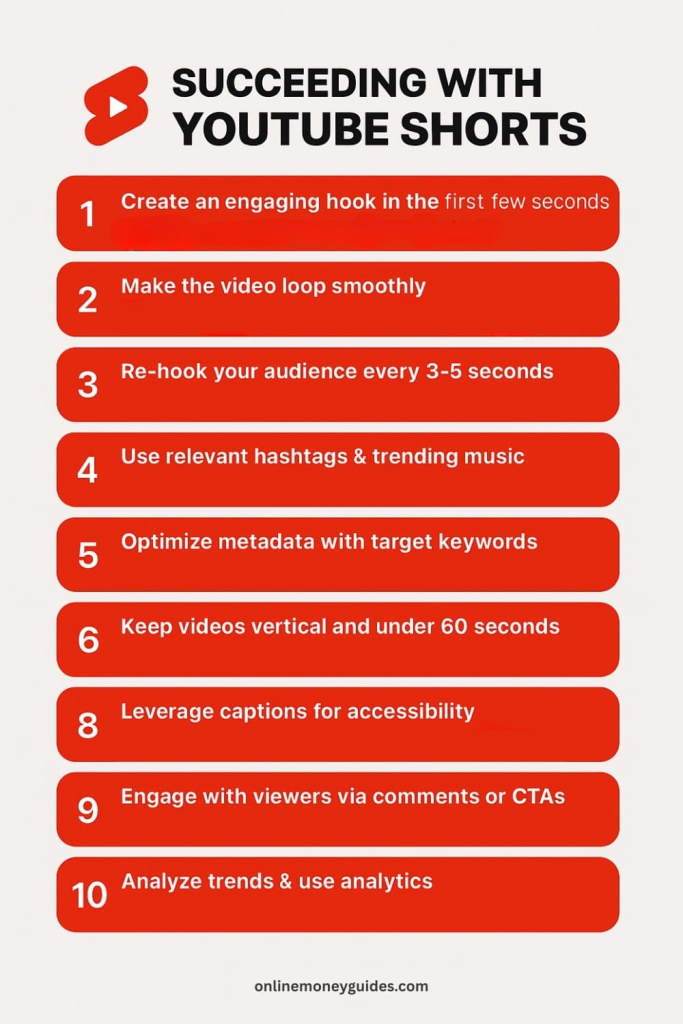
If you’re just starting out and want to grow fast, YouTube Shorts should be at the top of your strategy. They’re short, punchy videos (under 60 seconds) that can reach thousands — or even millions — of people overnight, thanks to the Shorts feed algorithm.
But the big question is: Can Shorts actually make you money?
Yes — and YouTube has doubled down on monetizing short-form creators in 2026. The tools are better, the payouts are clearer, and small creators finally have a seat at the revenue table.
How Shorts Monetization Works Now
Before 2023, YouTube offered a Shorts Fund — basically a bonus pool. But now, Shorts are fully integrated into YouTube’s ad revenue sharing model. That means creators can earn ad money when people view ads between Shorts.
Here’s what it looks like in 2026:
- Ads appear between Shorts on the mobile feed
- YouTube pools the total ad revenue generated
- A portion goes toward music licensing (if you used commercial tracks)
- The rest is split with creators based on views and engagement
- Creators get 45% of the allocated revenue
To be eligible, you must meet the updated YouTube Partner Program requirements:
- 500 subscribers
- 3 million Shorts views in the last 90 days (or 3,000 watch hours from long-form)
But even before you hit those numbers, Shorts are powerful tools for audience growth, which later translates to money through affiliate links, sponsors, and channel memberships.
How Much Can You Make from Shorts in 2026?
Shorts pay less per view than long-form videos, but the volume is much higher. Here’s a conservative estimate based on current RPM trends:
- 1M Shorts views ≈ $50–$120 in ad revenue (post-split)
- 10M Shorts views ≈ $500–$1,000
If you’re combining this with affiliate offers, sponsored products, or email list building, the earning potential multiplies.
What Kinds of Shorts Perform Best?
In 2026, high-performing Shorts often follow these trends:
- Micro-tutorials (how-tos, hacks, step-by-step demos)
- “Did you know?” content with curiosity hooks
- Lifestyle aesthetics with minimal talking (travel, food, fashion)
- Storytime content with emotional hooks
- Behind-the-scenes creator workflows
- Affiliate product reviews in 30 seconds
Use text overlays, subtitles, and clear calls to action like:
“Link in the description for this gear” or “Try this app for free – affiliate link below.”
Best Practices for Monetizing Shorts
- Stick to a tight niche — the algorithm favors consistency
- Keep content vertical and native (no TikTok watermarks)
- Post consistently — 1–2 Shorts/day is sustainable for growth
- Use Shorts to funnel people to long-form content, affiliate offers, or email lists
- Monitor analytics inside YouTube Studio for retention and click-through rates
Pros of YouTube Shorts
- Low production time — easy to create with a smartphone
- High growth potential — even new creators go viral
- Monetization options beyond ads — affiliate links, sponsor mentions, cross-promotion
- Algorithm-friendly — YouTube pushes Shorts hard in 2026
Cons of Shorts
- Lower RPMs than long-form
- Can be trend-reliant — evergreen Shorts take strategy
- Limited depth — harder to build deep relationships vs. long videos
Shorts aren’t a full-time income stream on their own (unless you’re getting millions of views monthly), but they are your fastest way to get discovered and build monetizable momentum.
Short-form content is booming. With the right strategy, Shorts can grow your channel quickly and generate revenue. Learn exactly how it works in our YouTube Shorts Monetization guide.
Monetization Method #4: Sponsorships and Brand Deals (Even for Small Channels)
A lot of new YouTubers assume brand deals only come after they hit 100K subscribers or go viral. But here’s the truth in 2026: brands want micro-creators — especially those with strong engagement, clear niches, and authentic storytelling.
So if you’ve got even a few hundred loyal subscribers and content that speaks to a specific audience, you’re in a prime spot to start working with sponsors.
What Are YouTube Sponsorships?
Sponsorships are when a company pays you to mention, promote, or demonstrate their product or service in your video.
They can take several forms:
- Dedicated videos focused on a product
- Integrated mentions within your content (e.g., “This video is sponsored by…”)
- Affiliate partnerships that include both pay-per-sale and a flat fee
- Long-term brand ambassadorships (multi-video deals)
In 2026, even smaller creators are securing deals for $250–$1,000 per video, depending on their niche and engagement rates.
Why Brands Pay Small YouTubers in 2026
Thanks to oversaturation on Instagram and rising TikTok ad costs, YouTube has become the new goldmine for influencer ROI. Brands are turning to nano and micro-influencers because:
- They get better engagement (audiences trust smaller creators)
- Niche channels have more targeted viewers
- Long-form content builds deeper trust = more conversions
It’s not about vanity metrics anymore — it’s about influence per view.

How to Get Your First Sponsor (Step-by-Step)
- Know your niche + audience
Are you speaking to fitness beginners, travel lovers, remote workers, or new moms? Get specific. - Build a pitch package
A simple PDF or Notion page with:
- Your channel stats (views, engagement, audience demographics)
- A short bio and mission
- Past brand mentions (if any)
- Sample video ideas featuring the brand
- Your rate card
- Your channel stats (views, engagement, audience demographics)
- Research and outreach
Start with companies you already use and love. Reach out via:
- Company websites (look for “Affiliate” or “Partnership” pages)
- LinkedIn (connect with marketing managers)
- Email (use Hunter.io to find PR contacts)
- Company websites (look for “Affiliate” or “Partnership” pages)
- Use platforms that connect creators with brands, like:
YouTube BrandConnect (it used to be called FameBit) is YouTube’s own way to help YouTubers work with companies. It lets brands and creators team up easily. The platform helps them make contracts and handle payments all in one place. It works together with YouTube and Google Ads.
Grapevine is a popular website where content creators can find companies that want to pay them to promote products. Creators use it to organize their brand deals. It’s still being used a lot in 2026.
Passionfroot is a website that helps creators show off their work and get paid partnerships with brands. It’s like an online portfolio where creators can display what they do best.
Intellifluence is a network that brings together social media influencers and companies. Companies pay influencers to talk about their products.
Collabstr is like an online store where creators and brands can meet. It makes it easier for them to work together on paid posts and videos.
- Negotiate smartly
Start with lower rates to build a portfolio, but don’t undersell yourself. Charge based on:
- Average views
- Engagement rate
- Length and depth of integration
- Usage rights (does the brand want to repurpose your content?)
- Average views
What to Charge as a Beginner (Ballpark Rates)
If you average under 10K views per video:
- Shoutout mention (30 seconds): $50–$150
- Mid-roll integration (60–90 seconds): $200–$500
- Dedicated review video: $300–$1,000+
These can stack fast, especially if you partner with multiple brands or offer bundled deals.
Pros of Brand Deals
- High payout potential — sometimes more than ads + affiliate combined
- Available even with small audiences
- Deepens audience trust (when done authentically)
- Often recurring — brands like to build long-term creator relationships
Cons
- Time-intensive at first (pitching, negotiating, revising)
- May require approval process or talking points
- Inauthenticity risk if you promote products you don’t believe in
- You must disclose sponsorships to stay FTC and YouTube compliant
Pro Tip: Always include a verbal and visual disclosure such as “This video is sponsored by [Brand]” and toggle the paid promotion disclosure in YouTube Studio.
Monetization Method #5: Channel Memberships, Super Chats & Digital Products (Your Community-Based Income)
When people talk about YouTube income, they often focus on ads and views. But the real magic — especially for long-term creators — happens when your audience becomes your customers.
That’s where channel memberships, Super Chats, and digital products come in. These are direct ways your community supports you financially because they love what you do — not because a brand paid you or YouTube ran an ad.
Let’s break them down.

YouTube Channel Memberships: Monthly Support From Superfans
If you’ve seen creators offering perks like exclusive videos, members-only live chats, or early access to uploads – that’s channel memberships.
As a creator, you can set up monthly tiers (like $2.99, $4.99, or $9.99), each with unique benefits for your members. YouTube takes a 30% cut, and creators keep 70%.
Requirements in 2026:
- Must be in the YouTube Partner Program
- 1000 subscribers
- No Community Guidelines strikes
- Channel must be in good standing
Popular membership perks include:
- Behind-the-scenes content
- Private Q&A videos
- Early video releases
- Exclusive live streams
- Custom emojis or badges in chat
- Discount codes for your merch or digital products
Super Chats and Super Stickers: Real-Time Viewer Tips
During livestreams or YouTube Premieres, viewers can tip you live using Super Chat and Super Stickers. They pay a set amount to have their message or animation featured prominently in the chat — often used to ask questions or show love.
This is especially effective for:
- Creators who livestream regularly
- Interactive formats (gaming, Q&As, commentary)
- Creators with loyal fans who want to stand out
In 2026, creators keep 70% of Super Chat revenue, and top contributors are now highlighted on replay as well — helping drive more tips even after the stream ends.
Tips to boost Super Chats:
- Respond to every Super Chat live (acknowledgement goes a long way)
- Use incentives like: “$10 tip = on-screen shoutout or question priority”
- Display your top contributors in a live ticker or leaderboard
Digital Products: The Most Scalable Income Stream
While AdSense and sponsors fluctuate, selling your own digital products gives you 100% control over your revenue. And in 2026, more YouTubers than ever are building “mini businesses” from their content.
Here are a few product types working well:
1. Downloadables (PDFs, Notion templates, guides):
Think checklists, cheat sheets, planners, meal prep calendars, or digital nomad packing lists.
2. Courses & Tutorials:
Turn your knowledge into step-by-step lessons. Platforms like Podia, Gumroad, and Teachable let you sell with no tech experience.
3. eBooks and Workbooks:
Perfect for creators in finance, self-help, productivity, or education.
4. Presets and Templates:
Designers, photographers, editors — sell your custom LUTs, Lightroom presets, thumbnail templates, or Premiere Pro transitions.
5. Membership Portals / Private Communities:
Launch a private Discord or community group using Buy Me a Coffee or Ko-fi for recurring revenue and community-building.
Combining These Streams = Community Power
What makes these monetization methods so powerful isn’t just the money — it’s the ownership.
With ads and sponsors, you’re still relying on platforms or external brands. But with memberships and products, you’re building a fan-supported ecosystem that you control.
You don’t need millions of subscribers to succeed. You just need a few hundred true fans who love your content and want to support your creative journey.
Monetization Method #6: Merch Shelf & YouTube Shopping (Sell Physical Products Directly)
In 2026, YouTube has evolved into more than just a video platform — it’s now part storefront. With YouTube Shopping and the Merch Shelf, creators can showcase, promote, and sell products without ever leaving the platform.
That means if someone’s watching your video and loves your brand, your gear, or your catchphrase, they can literally buy it right below the video.
And yes, even beginner creators can tap into this.
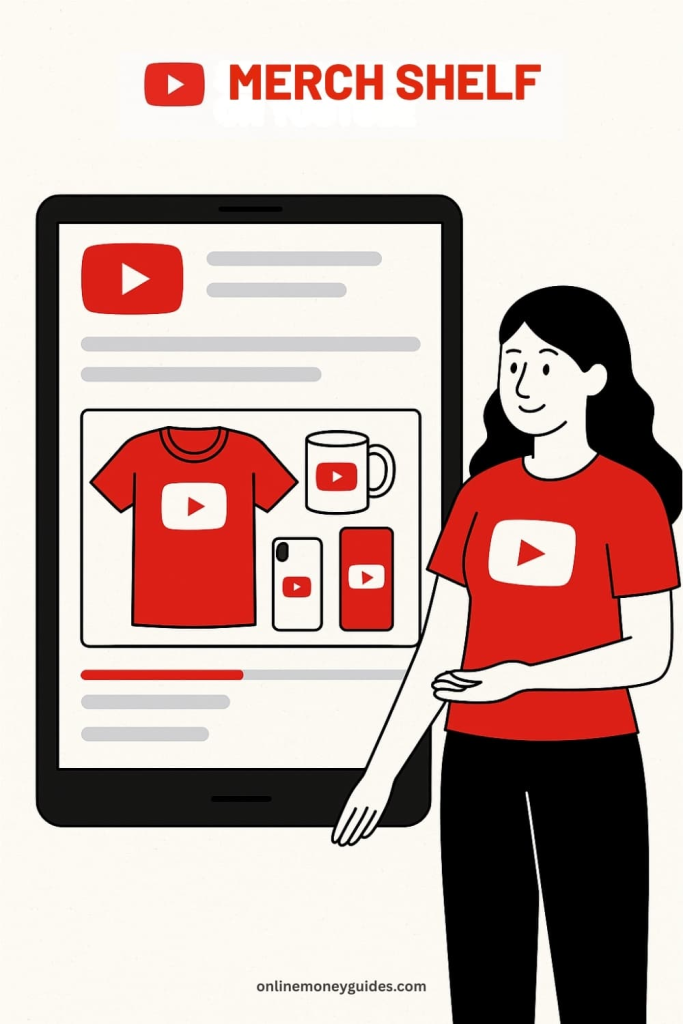
What Is the YouTube Merch Shelf?
The Merch Shelf is a dedicated section below your YouTube videos (and on your channel homepage) where products are displayed. Viewers can click directly to buy physical items like:
- T-shirts
- Hoodies
- Mugs
- Tote bags
- Phone cases
- Notebooks
- Stickers
YouTube partners with platforms like Spring (formerly Teespring), Spreadshop, and Shopify to fulfill and ship these items.
You don’t need to hold inventory or deal with logistics.
What Is YouTube Shopping?
Launched in full force in late 2023 and expanded in 2025 into 2026, YouTube Shopping lets creators tag products inside their content. Think of it like shoppable Instagram or TikTok, but with long-form and Shorts integration.
You can:
- Tag items in your videos or livestreams
- Create clickable shopping sections in your descriptions
- Use affiliate or owned product links
- Integrate with Shopify or print-on-demand partners
This works for both your own products and affiliate store items.
Requirements for YouTube Merch Shelf Access
To use YouTube’s built-in Merch Shelf in 2026, you need:
- 1,000+ subscribers
- Channel monetized via the YouTube Partner Program
- No Community Guidelines strikes
- An account with an approved merch partner (Spring, Spreadshop, Shopify, etc.)
That said, you can still sell physical products manually even without the shelf. Simply link to your shop in your video description or pinned comment, and promote it in your content.
Tips for Selling Products on YouTube (Without Being Salesy)
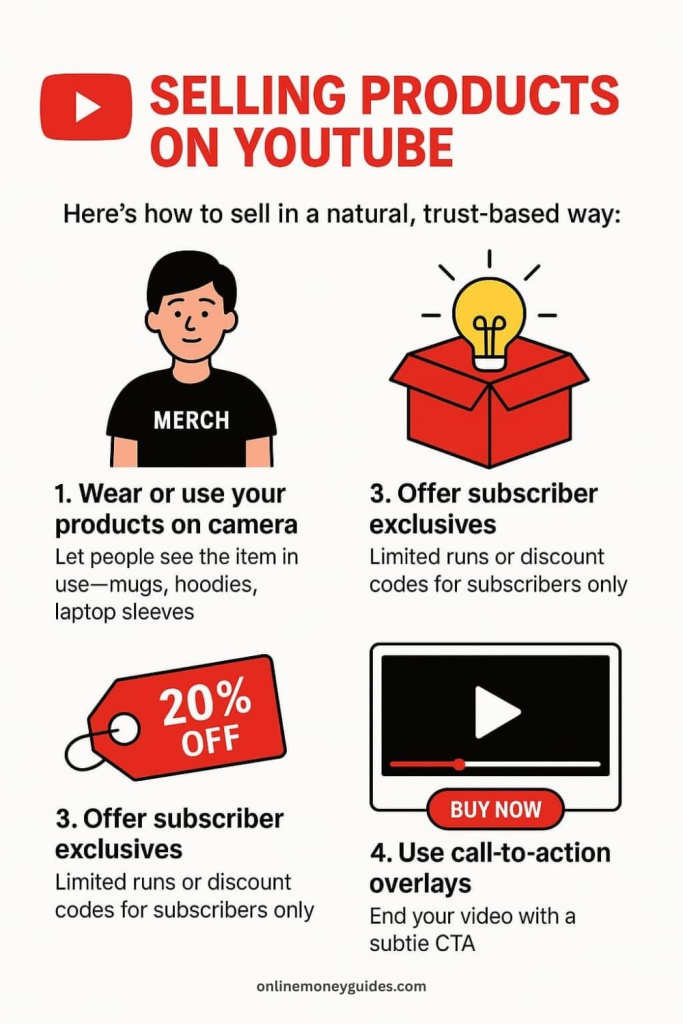
You don’t need to become a walking billboard. Here’s how to sell in a natural, trust-based way:
1. Wear or use your products on camera.
Let people see the item in use — mugs, hoodies, laptop sleeves. This builds desire passively.
2. Tell the story behind the product.
Is it tied to your message, values, or audience identity? Audiences buy into meaning more than merch.
3. Offer subscriber exclusives.
Create limited runs, “first 100” promos, or discount codes for subscribers only.
4. Use call-to-action overlays.
End your video with a subtle CTA: “You can grab the limited hoodie below if you vibe with this message.”
5. Bundle with digital content.
Pair merch with an eBook, Notion template, or bonus training for higher perceived value.
Best Platforms for Beginners to Sell Merch
- Spring (teespring.com): Fully integrated with YouTube, easy to use, no upfront costs
- Spreadshop: Great for YouTubers outside the U.S.
- Shopify: Best for creators wanting full control and branding (integrates with YouTube Shopping)
- Printful / Printify: For high-quality print-on-demand fulfillment, connectable to Shopify
If you prefer a simple setup with zero inventory, Spring is the easiest path for YouTube creators starting out.
Pros of Selling Physical Products
- Brand-aligned income that builds a deeper connection with your community
- Passive after setup — design once, earn every sale
- Integrated directly with YouTube for maximum visibility
- Works well for niche audiences (gaming, art, motivation, humor, self-improvement)
Cons
- Profit margins vary (platforms often take 30–60%)
- Sales require active promotion — passive merch doesn’t move
- Designing products takes thought — poor design = no sales
- Shelf access is limited to monetized channels over 1K subs (though this isn’t a blocker — just use links)
If your audience loves your vibe, your message, or your inside jokes, they’ll want to wear it.
This is one of the most brand-building monetization methods you can add, and in 2026, YouTube makes it easier than ever to launch your own store without coding, inventory, or complicated logistics.
Building the Foundation: Niche Selection, Personal Branding & Content Consistency
Making money on YouTube in 2026 doesn’t start with monetization buttons — it starts with positioning.
YouTube isn’t just a video platform. It’s a search engine, discovery engine, and trust engine. And creators who succeed are the ones who know exactly who they serve, what they stand for, and how to show up consistently.
Let’s break down the three critical pillars of sustainable YouTube income: your niche, your brand, and your consistency.
Step 1: Choose a Profitable Niche (That Also Feels Natural)
If you’re asking, “What’s the best YouTube niche to make money in 2026?” — the answer is: the one that aligns with high RPMs AND your authentic interest.
Here’s why that balance matters:
- If you chase only money, you’ll burn out before monetizing
- If you only follow passion, but there’s no audience, you’ll stall
- But if you find the sweet spot — passion, demand, and profit — you can grow and get paid
High-paying niches in 2026 include:
- Personal finance, investing, and credit building
- Tech reviews, gear comparisons, software tutorials
- Online business, side hustles, digital nomadism
- AI tools, productivity, automation
- Education (especially skill-based: languages, coding, design)
- Health, fitness, mental wellness (with a research-backed angle)
- Creator economy (YouTube tips, editing tutorials, social media growth)
But don’t overthink this — even “lower RPM” niches like lifestyle, vlogging, beauty, or gaming can earn more when combined with affiliate offers, sponsors, and digital products.
Try this simple niche formula:
Topic you enjoy + Audience that searches for it + Clear transformation or benefit
Examples:
- “Minimalist productivity for new moms”
- “Beginner-friendly coding tutorials using AI tools”
- “Affordable travel guides for solo women travelers”
- “Editing tips and gear reviews for iPhone creators”
The narrower your niche, the faster you’ll attract your first 1,000 true fans.
Picking the right niche is critical if you want to grow fast and actually make money. Some niches are far less competitive than others—see our list of 11 low-competition YouTube niches that make the most money.
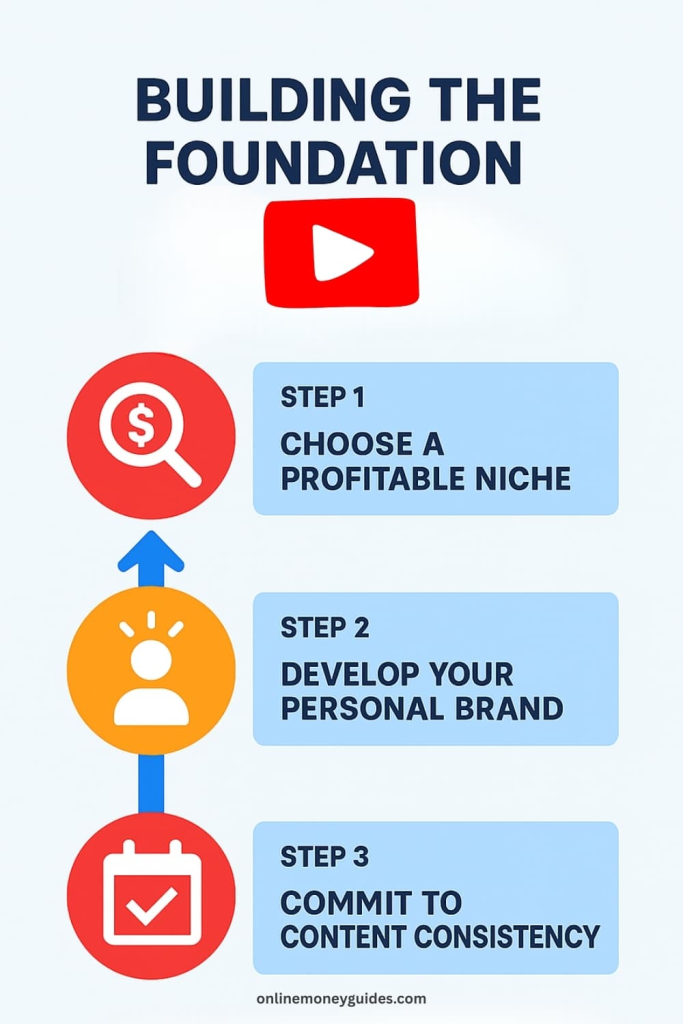
Step 2: Develop Your Personal Brand (Even Without Showing Your Face)
In 2026, attention spans are short — but trust is everything.
Whether you’re on camera or anonymous, you need a personal brand. That doesn’t mean a fancy logo or matching Instagram feed. It means people recognize your vibe, your values, and your voice.
Ask yourself:
- What do I stand for? What do I stand against?
- What kind of transformation am I offering my viewer?
- What makes me different from others in my niche?
- What do I want my audience to feel when they watch my videos?
Example:
If you run a channel about editing on mobile, are you:
- The no-fluff, “get it done” creator for side hustlers?
- The playful, Gen Z tutorial wizard who uses memes?
- The aesthetic, cinematic creator who mixes visuals with mindset?
You don’t need a brand — you already are a brand. Your job is to intentionally shape it.
🔁 Even if you don’t show your face, your editing style, music, narration tone, and delivery become your signature.
Step 3: Commit to Content Consistency (Not Perfection)
Consistency beats quality. That might sound controversial — but in 2026, it’s truer than ever.
The YouTube algorithm rewards signals like:
- Upload frequency
- Session watch time
- Viewer retention
- Topic consistency
- Repeat engagement from the same viewers
That doesn’t mean you need to post every day. It means you need to:
- Choose a realistic upload schedule (1–2x/week is plenty)
- Batch your content to avoid burnout
- Use templates for editing to speed up production
- Stick to one content format per series (e.g., always 8-minute tutorials with a talking intro + screen share)
Consistency builds trust with your audience and with YouTube’s algorithm.
How to Grow on YouTube in 2026: Tools, Analytics & Cross-Promotion Strategies
Making money on YouTube is a numbers game — not in terms of vanity metrics like subscribers, but in terms of traffic, retention, and trust.
If you want to build a channel that earns, you need to build a channel that grows. That means understanding:
- How to get more views (without clickbait)
- How to keep people watching
- How to bring viewers back
- How to expand beyond YouTube (without burning out)
Here’s your playbook.
Optimize Your Videos for Search and Discovery
YouTube is the second-largest search engine in the world (behind Google, which owns it). In 2026, SEO still matters — but it’s smarter and more AI-driven than ever.
Here’s how to make sure your videos get found:
Start with real keyword research.
Use tools like:
- VidIQ (affiliate) — Great for topic scoring, tag optimization, competitor analysis, and real-time trend tracking and thumbnail testing
- Google Trends — To find seasonality and compare topic popularity
Search terms like:
- “How to make money on YouTube as a beginner 2026”
- “YouTube monetization step by step”
- “best YouTube niches for small creators”
- “How to grow a faceless YouTube channel”
- “YouTube affiliate marketing tutorial”
Then build your titles, thumbnails, and intros around that intent.
Pro Tip: Use question-based titles (that your audience is already Googling) and answer them clearly in the first 30 seconds of your video.
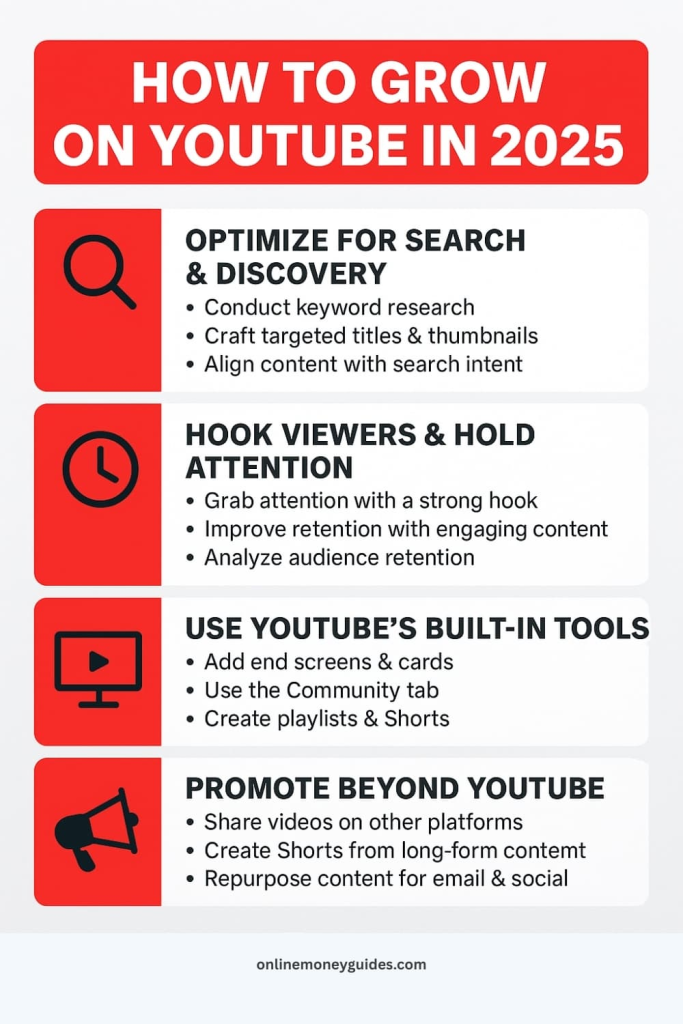

Hook Viewers & Hold Attention
In 2026, the algorithm prioritizes watch time and viewer satisfaction. Your goal isn’t just to get clicks, it’s to keep people glued to the screen.
To increase retention:
- Open with a hook (not an intro) that promises value or tells a story
- Use jump cuts and on-screen text to avoid lulls
- Create curiosity loops (“In part two, I’ll show you the trick that tripled my income…”)
- Add b-roll, visuals, and sound design to keep energy up
- Structure your videos clearly (e.g., “3 tips,” “step-by-step,” “what I wish I knew…”)
Check your Audience Retention Graph inside YouTube Studio. See where people drop off — then rework those sections in future videos.
Use YouTube’s Built-In Growth Tools
In 2026, YouTube offers powerful internal tools to help your videos get seen for free. Use them all.
- End screens: Recommend your next video before people click away
- Cards: Add clickable suggestions mid-video to keep people engaged
- Community tab: Share polls, thumbnails, teasers, and shoutouts
- Playlists: Group related content to increase binge-watching
- Shorts: Use them to tease long-form content and drive subs
Consistency + smart use of these features = algorithm trust over time.
Promote Beyond YouTube (Without Spamming)
You don’t need to be on every platform, but you do need to give YouTube some extra signals, especially early on.
Focus on 1–2 supporting platforms where your audience hangs out.
Examples:
- If you’re in tech or business: Post clips on LinkedIn (link to our LinkedIn)
- If you’re in lifestyle or productivity, use Instagram Reels or Pinterest
- If you’re in education or tutorials: Start an email list using ConvertKit
- If you’re in digital nomad or creator economy spaces: Use Twitter/X threads + Reddit communities
Pro Tip: Make vertical clips (10–30 seconds) from your long-form content using tools like:
- Opus Clip — AI auto-clips your videos
- Veed.io — Quick vertical editing
- [CapCut Desktop or Mobile] — Great for adding captions and effects
These Shorts and Reels can drive traffic back to your full videos or affiliate offers.
Analyze What’s Working and Double Down
Creators who grow in 2026 don’t just “post and hope.” They study their data and adapt.
In YouTube Studio, check these metrics weekly:
- Click-Through Rate (CTR): If it’s under 4%, test new thumbnails
- Audience Retention: Aim for 40–60% average view duration
- Top Videos: What topics bring the most subs, watch time, and revenue?
- Traffic Sources: Are people finding you via search, suggested, or Shorts?
Track your progress using free dashboards inside Studio or tools like TubeBuddy’s health reports.
Avoiding Pitfalls and Staying Compliant With YouTube Monetization Guidelines (2026 Edition)
YouTube gives — but it can also take away.
As more creators enter the platform in 2026, YouTube has tightened its enforcement of monetization rules, community guidelines, and ad-friendly content policies.
If you want your channel — and your income — to survive long-term, you need to know what not to do, what the rules are, and how to stay on YouTube’s good side.
Let’s cover the essentials.

YouTube Monetization Policies: What You Must Follow
To earn money from ads, Super Chats, memberships, and the YouTube Partner Program, your content must meet all of the following:
1. YouTube’s Community Guidelines
This includes rules around:
- Hate speech
- Harassment or cyberbullying
- Graphic violence or adult content
- Harmful or dangerous acts
- Spam and scams
Even one violation (like a strike) can result in temporary or permanent demonetization.
2. Advertiser-Friendly Content Guidelines
If you want to earn ad revenue, your content must be safe for brands. That means:
- No excessive profanity in the first 30 seconds
- No adult jokes or shock content
- No misleading thumbnails or bait-and-switch titles
- No “made for kids” content that tricks the system
If your video is flagged as “limited ads,” you’ll see the yellow dollar sign.
Always review YouTube’s advertiser-friendly guidelines for up-to-date info.
3. Copyright and Fair Use
This is a major pitfall for beginners.
- Don’t use copyrighted music, clips, or images without permission
- Even short audio samples can trigger demonetization or takedowns
- If you’re doing commentary or reaction content, transform it — don’t just reupload
Use YouTube’s Audio Library for safe background tracks
Or subscribe to Epidemic Sound for royalty-free music.
YouTube Shorts: What’s Allowed in 2026?
Shorts have their own monetization rules. Key points:
- You can monetize Shorts that use licensed music (YouTube handles the split)
- But avoid reposting TikToks or Reels with visible watermarks — they’ll likely be suppressed
- No looping or spammy uploads — Shorts still require real value
Affiliate & Sponsored Content Compliance (FTC Rules Still Apply)
Even if you’re under 1,000 subscribers, you’re still a business in the eyes of the law.
The FTC (Federal Trade Commission) requires you to:
- Disclose affiliate links clearly (e.g., “This is an affiliate link — I may earn a commission if you purchase.”)
- Say when a video is sponsored or paid for
- Do not make false claims about a product
In 2026, YouTube also requires you to toggle “paid promotion” in the upload settings if you’re receiving value (money, product, or services) in exchange for content.
Be honest, be clear, and you’ll be protected.
Other Pitfalls That Can Kill Your Channel’s Earnings
1. Sub4Sub and Fake Engagement
Buying views, likes, or subscribers is a fast track to demonetization, and it doesn’t work anyway. The algorithm sniffs it out instantly.
2. Reused Content Without Transformation
If you’re running a faceless channel or automation-style content, you must:
- Add original commentary, edits, or scripting
- Avoid uploading compilations of clips without context
- Use AI-generated content sparingly and always edit for originality
Channels that reuse stock footage or AI voices with no real value often get flagged under “repetitive content,” which can lead to full monetization disablement.
3. Inactivity
If you stop uploading or engaging for several months, you may lose features like memberships or visibility and eventually risk being removed from the Partner Program.
What Happens If You Get Demonetized?
If YouTube removes you from the Partner Program:
- You lose access to ads, memberships, Super Chats, and the Merch Shelf
- You keep your channel, views, and subscribers
- You can reapply after 30 days if you fix the violations
Pro Tip: Use that time to pivot and focus on affiliate marketing, drive traffic to a landing page, or grow on Shorts while fixing your monetization issues.
Staying Safe = Earning Safe
Monetization isn’t a set-it-and-forget-it game. It’s a relationship with the platform and with your audience.
Follow the rules, add value, and keep it ethical. That’s how you build a YouTube business that lasts.
YouTube isn’t just a Platform, it’s a Path
If you’ve made it this far, you now know the truth: YouTube in 2026 isn’t just a content platform, it’s a creator-powered economy. And you don’t need millions of views, fancy gear, or viral fame to tap into it.
You just need:
- A clear niche
- A consistent publishing schedule
- A few monetization tools (to start)
- And a desire to genuinely help, teach, inspire, or entertain others
Whether you’re making how-to tutorials, gaming Shorts, lifestyle vlogs, or tech breakdowns, there’s a revenue path for you. And the best part? Many of them don’t even require you to be in the Partner Program to start earning.
Here’s your roadmap recap:
- Start simple: post videos in a niche you understand
- Grow smart: use Shorts, SEO, and community features
- Monetize early: affiliate links and digital products can start today
- Stack income: combine AdSense, sponsors, merch, memberships, and more
- Stay compliant: protect your channel by following YouTube and FTC rules
- Keep showing up: consistency compounds, even if your first videos flop
YouTube rewards the long game. Don’t compare your day 1 to someone else’s year 5. Just start. Learn as you go. Improve with every upload.
Because the truth is this:
In 2026, anyone – yes, even you can turn a small YouTube channel into a meaningful stream of income.
All it takes is your message, your camera (or phone), and the courage to hit “publish.”